
Space Waves
 0.0/5
0.0/5
Space Waves – How to Play the Addictive Neon Tunnel Runner
If you love fast reflex games with clean neon visuals, Space Waves is a must-try. The Space Waves game challenges you to guide a glowing arrow through tight, rhythmic tunnels where one wrong move means instant crash. It’s simple to start, but mastering it? That’s where the real fun begins.
In this guide, you’ll learn how to play Space Waves online, understand the controls, and improve your reaction speed to beat your best times.
What Is Space Waves?
Space Waves is a fast-paced arcade runner set inside glowing neon tunnels. You control a sharp arrow-like ship and navigate through narrow paths without touching the walls. Each level is short, intense, and designed for quick retries — perfect for players who enjoy skill-based, reaction-focused gameplay.
The game combines:
- Minimalist neon design
- Tight movement control
- Instant restarts
- Increasing speed and difficulty
That “just one more try” feeling is what makes the Space Waves game so addictive.
How to Play Space Waves Online
Getting started with Space Waves online is easy:
1. Load the Game
Scroll to the Play section on the page. The game usually starts automatically once loaded.
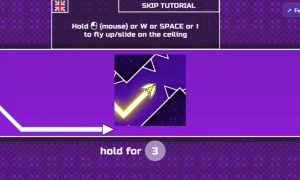
2. Steer the Arrow
Guide your arrow through neon tunnels.
⚠️ Do not touch the walls — even a slight contact means game over.
3. Learn the Rhythm
Levels are short and designed for fast retries. The key is to feel the rhythm of the movement and tighten your turns over time.
4. Progress & Improve
Clear levels and try to beat your previous completion times. The faster the level, the more precise your control must be.
Controls for Space Waves
Keyboard (PC):
- ← / → or A / D — Turn left or right
- R — Quick retry (when supported)
- Esc — Pause or open menu (when supported)
Mobile:
- Swipe or hold to steer
Note: Exact keybinds may vary slightly depending on the version of Space Waves online you are playing.
Pro Tips to Master Space Waves
Want to improve quickly in the Space Waves game? Keep these tips in mind:
🎯 Keep Micro-Adjustments Light
Over-steering is the #1 crash cause. Make small, controlled movements instead of sharp turns.
🎵 Follow the Flow
Many players improve by syncing movements with the rhythm of the tunnel patterns.
🔁 Embrace Instant Retry
Since levels are short, don’t fear failure. Quick restarts help you build muscle memory fast.
🧠 Stay Relaxed
Tension causes jerky movements. Relax your hands and let your reactions flow naturally.
Why Space Waves Is So Addictive
The beauty of Space Waves online lies in its simplicity:
- No complicated mechanics
- No long tutorials
- Just skill, focus, and reaction time
Every run feels clean and fair. If you crash, you know it was your mistake — and you immediately want to try again.
Looking for More Skill-Based Games?
If you enjoy reflex-heavy titles like Space Waves, you’ll definitely want to explore OvO Games — a collection of fast-paced platform and skill challenges that test timing, precision, and control.
Many players who love the Space Waves game also enjoy the tight movement and skill mechanics found on OvO-style platformers. If you’re ready to push your reaction speed even further, it’s worth checking out.
Play Space Waves Online Now
Ready to test your reflexes? Jump into Space Waves online and see how far you can go without crashing. Remember:
- Keep movements light
- Don’t over-steer
- Learn the rhythm
- Chase faster times
Master the tunnels, sharpen your reactions, and enjoy one of the most satisfying arcade experiences available online.
Good luck — and try not to blink. 🚀
Earn 1 Point for Every 10 Minutes of Active Play.
0 Comments
No comments yet.